> ## Documentation Index
> Fetch the complete documentation index at: https://docs.narrativebanking.com/llms.txt
> Use this file to discover all available pages before exploring further.
# v1.8.8
> Action usefulness ratings and clearer progress while Coach prepares an answer.
**v1.8.8 adds usefulness ratings to Money and Growth Actions and shows the current work while Coach prepares an answer. No breaking changes. Existing hosted v1.8 integrations need no client-code migration; extending bank history may require renewed consent.**
## Release overview
Users can give feedback on the Action they are reviewing without changing its next steps or starting a Project. Saved ratings remain available when they return to the same content.
Coach makes the wait easier to understand by showing the work relevant to the question. A simple greeting gets a quicker reply, while financial questions retain their usual analysis.
First-time setup brings country and currency choices into view before the bank connection and keeps recovery guidance tied to what the user can do next.
**Breaking changes:** None.
**Deprecations:** None.
## Money and Growth
Money and Growth Action details now include thumbs-up and thumbs-down controls under `Was this useful?`. Users can add an optional note, submit the rating and edit it later. Cancel leaves the saved rating unchanged.
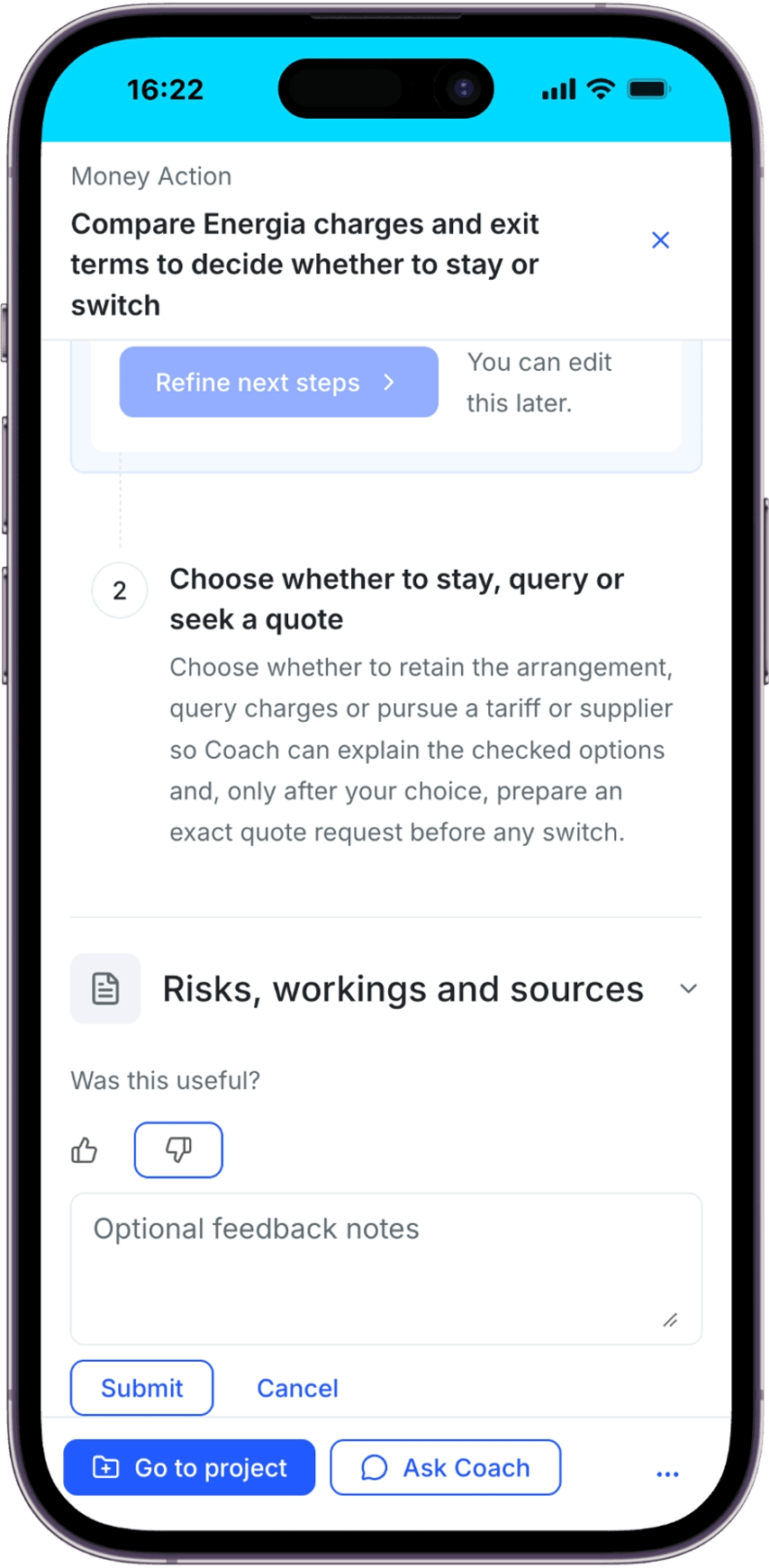 *A Money Action shows the selected rating, optional notes and Submit and Cancel controls.*
Ratings belong to the content shown to the user. Returning to the same content restores the saved rating; a materially changed Action can be rated separately. Rating an Action does not dismiss it, change its priority or create a Project.
*A Money Action shows the selected rating, optional notes and Submit and Cancel controls.*
Ratings belong to the content shown to the user. Returning to the same content restores the saved rating; a materially changed Action can be rated separately. Rating an Action does not dismiss it, change its priority or create a Project.
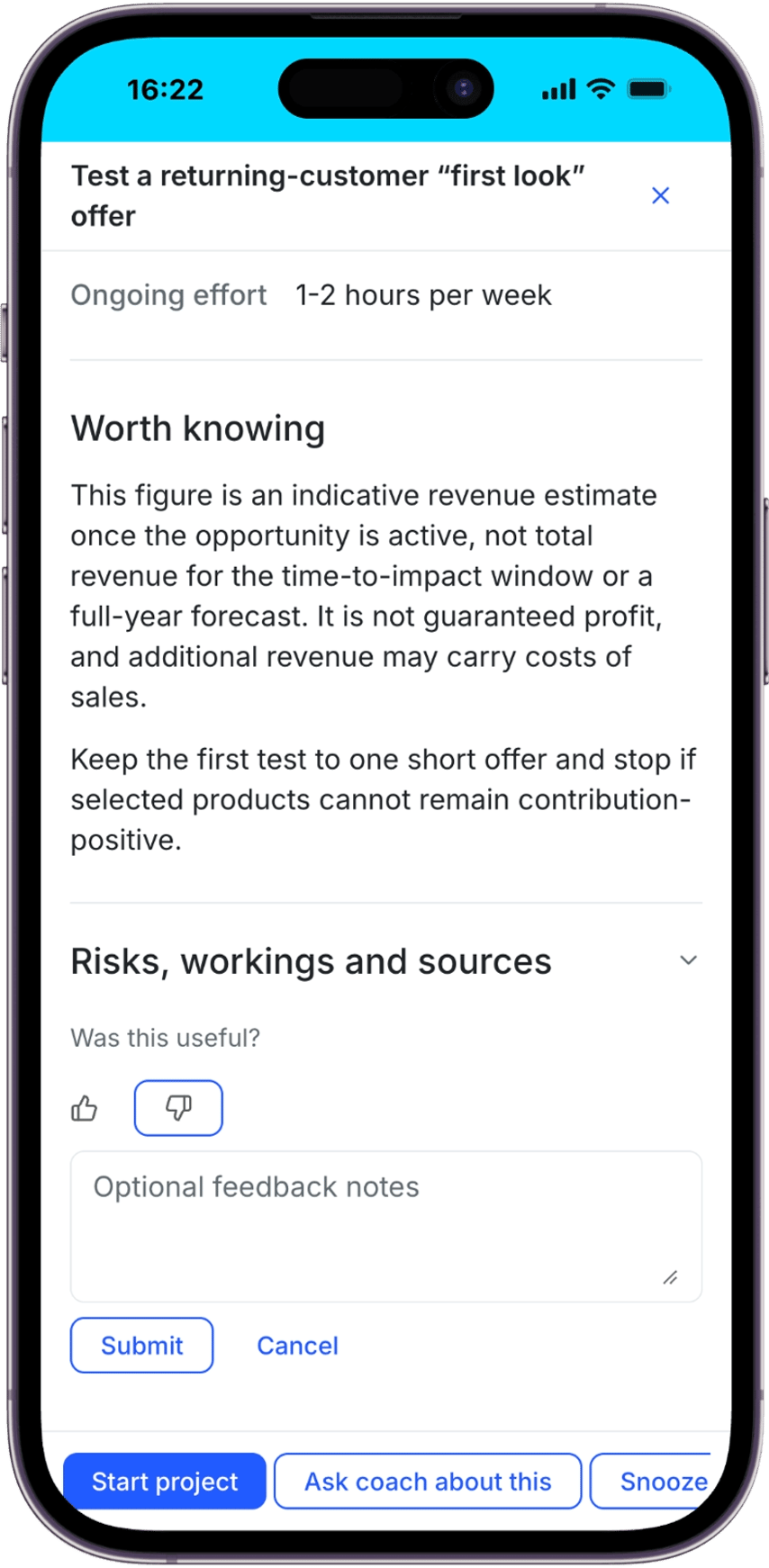 *A Growth Action offers the same rating editor alongside its supporting information.*
Money Actions refresh weekly, with the initial set still prepared during onboarding.
## Coach
While an answer is being prepared, Coach shows its current step. Users can expand the progress list to see completed steps and the work in progress, together with elapsed time.
*A Growth Action offers the same rating editor alongside its supporting information.*
Money Actions refresh weekly, with the initial set still prepared during onboarding.
## Coach
While an answer is being prepared, Coach shows its current step. Users can expand the progress list to see completed steps and the work in progress, together with elapsed time.
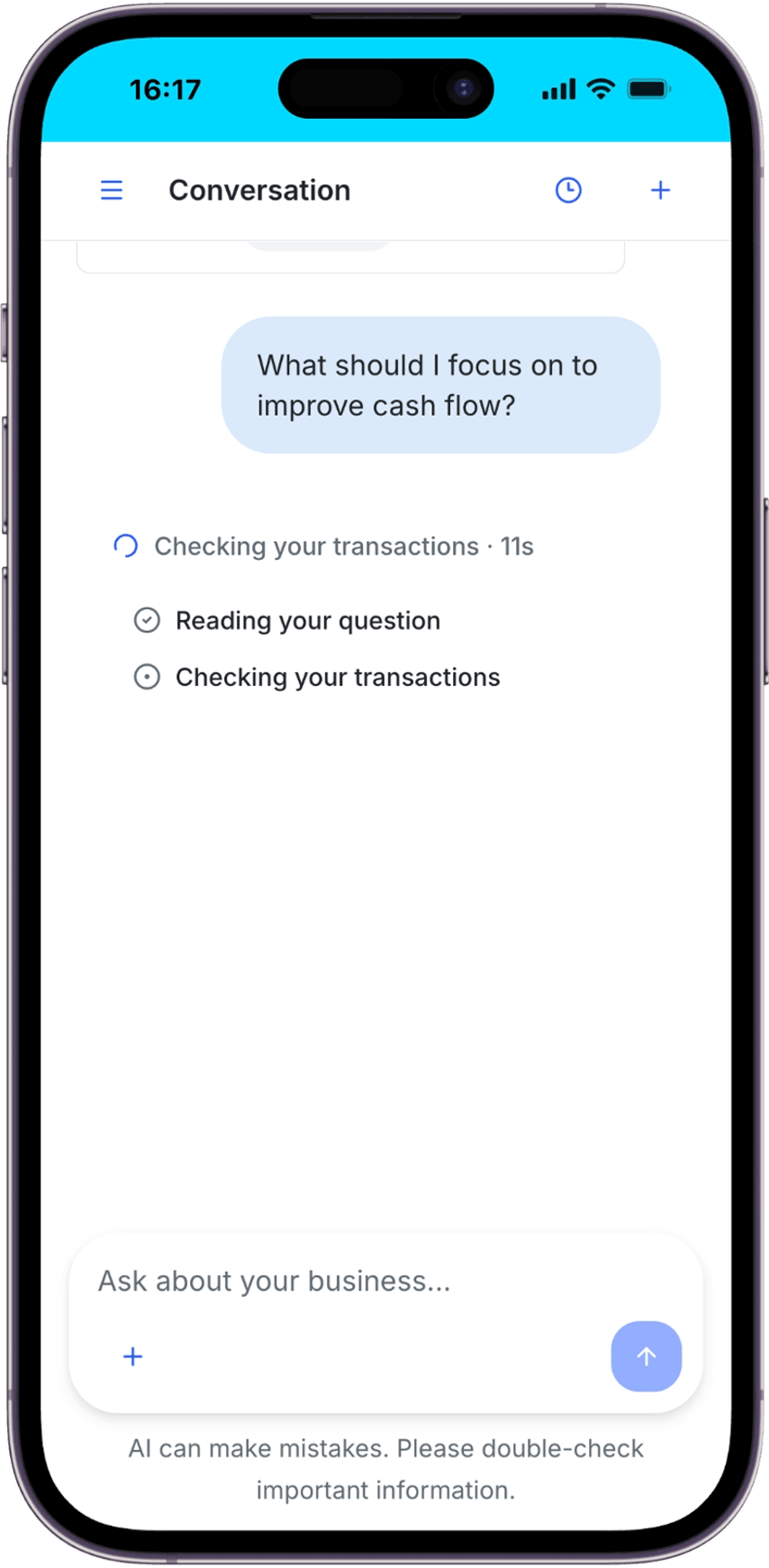 *Coach shows a completed step and the current transaction check while preparing an answer.*
Steps reflect the question and the work being carried out, such as checking transactions, looking at invoices and bills, or searching the web. Greetings and thanks receive faster replies and show only the steps they need. Progress updates support screen readers, and the activity indicator respects reduced-motion preferences.
## Onboarding and connected data
Create account is the primary entry for new users, with an explicit Sign in option for existing users. Before connecting a bank, users can review and edit the suggested bank country and currency. `About the connection` provides the connection information alongside these controls.
*Coach shows a completed step and the current transaction check while preparing an answer.*
Steps reflect the question and the work being carried out, such as checking transactions, looking at invoices and bills, or searching the web. Greetings and thanks receive faster replies and show only the steps they need. Progress updates support screen readers, and the activity indicator respects reduced-motion preferences.
## Onboarding and connected data
Create account is the primary entry for new users, with an explicit Sign in option for existing users. Before connecting a bank, users can review and edit the suggested bank country and currency. `About the connection` provides the connection information alongside these controls.
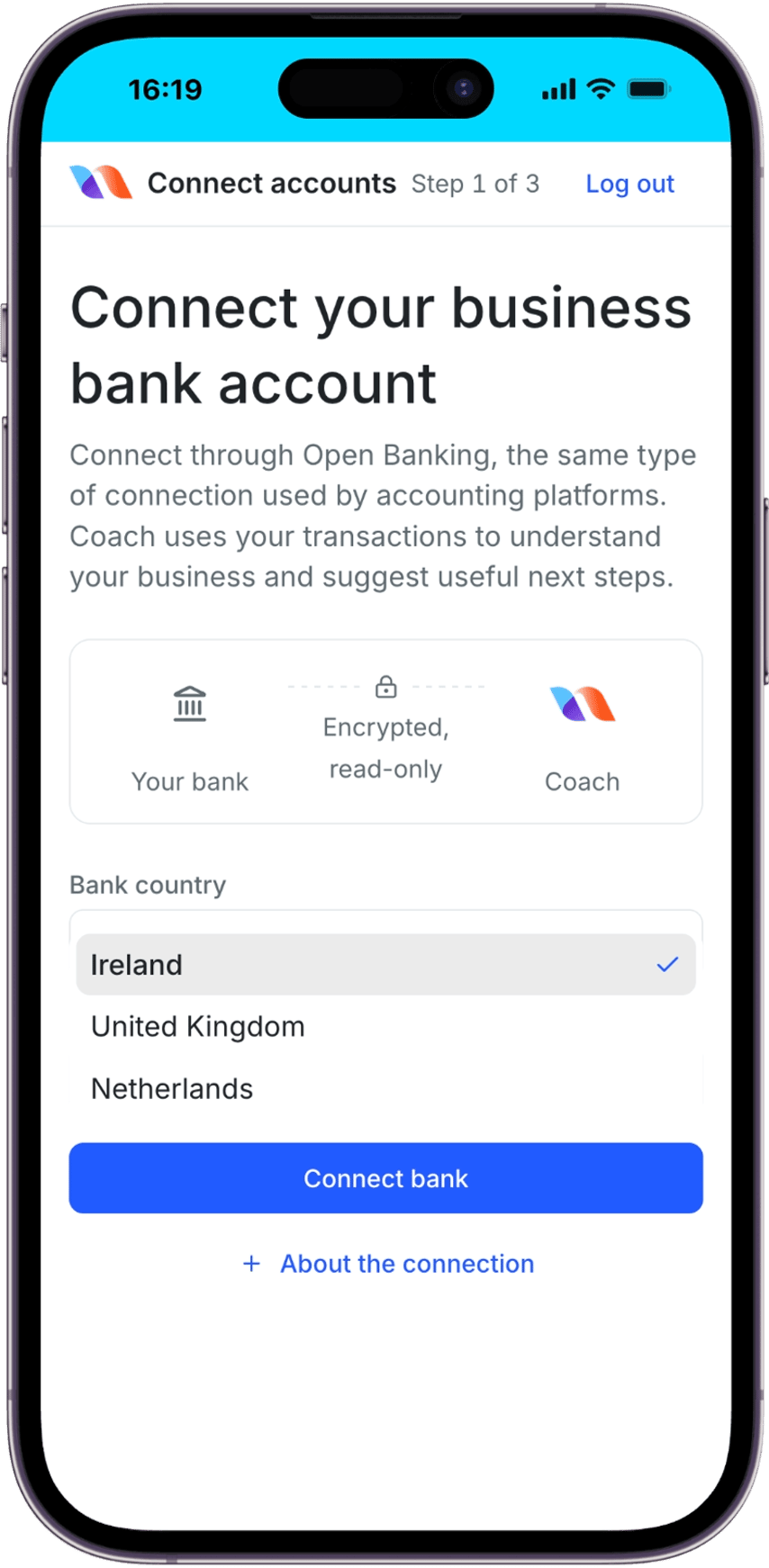 *Users can review the bank country before choosing Connect bank.*
Users can answer business-profile and goal questions in their own words or choose a relevant suggestion. Setup retains their answers and offers `Retry setup` when the failed work can be retried; otherwise, it gives support guidance.
Bank connections can request up to 749 days of transaction history, subject to the bank, provider and consent. A bank with a shorter history allowance can still be connected. The records actually retrieved determine what Money and Coach can use; the requested period is not a guarantee of complete coverage.
Bank transaction imports handle clock changes so transactions around daylight-saving transitions can be included in the connected history.
## Partner customisation
An explicit partner product-referral opt-out is respected across Coach, Money, Growth and Projects. This follows the tenant's existing referral configuration; it is not an end-user branding control.
## Compatibility
Existing hosted v1.8 integrations remain compatible and require no client-code migration. This release does not require changes to the standard hosted integration's credentials, domain allowlists or redirect URIs.
Users extending an existing bank connection's history may need to reconnect and approve renewed consent. Existing connections are not automatically backfilled to the longer period. Available history remains subject to the provider and the account.
## Support
Read the updated [Money guide](/sdk/api-money), [Growth guide](/sdk/api-growth), [Coach guide](/sdk/api-coach), [onboarding guide](/sdk/onboarding), [white-labelling guide](/sdk/white-labeling) and [FAQ](/sdk/faq).
Questions about this release or integration: [support@narrativebanking.com](mailto:support@narrativebanking.com)
SDK documentation: [docs.narrativebanking.com](https://docs.narrativebanking.com)
This documentation is built and hosted on [Mintlify](https://mintlify.com), a developer documentation platform.
*Users can review the bank country before choosing Connect bank.*
Users can answer business-profile and goal questions in their own words or choose a relevant suggestion. Setup retains their answers and offers `Retry setup` when the failed work can be retried; otherwise, it gives support guidance.
Bank connections can request up to 749 days of transaction history, subject to the bank, provider and consent. A bank with a shorter history allowance can still be connected. The records actually retrieved determine what Money and Coach can use; the requested period is not a guarantee of complete coverage.
Bank transaction imports handle clock changes so transactions around daylight-saving transitions can be included in the connected history.
## Partner customisation
An explicit partner product-referral opt-out is respected across Coach, Money, Growth and Projects. This follows the tenant's existing referral configuration; it is not an end-user branding control.
## Compatibility
Existing hosted v1.8 integrations remain compatible and require no client-code migration. This release does not require changes to the standard hosted integration's credentials, domain allowlists or redirect URIs.
Users extending an existing bank connection's history may need to reconnect and approve renewed consent. Existing connections are not automatically backfilled to the longer period. Available history remains subject to the provider and the account.
## Support
Read the updated [Money guide](/sdk/api-money), [Growth guide](/sdk/api-growth), [Coach guide](/sdk/api-coach), [onboarding guide](/sdk/onboarding), [white-labelling guide](/sdk/white-labeling) and [FAQ](/sdk/faq).
Questions about this release or integration: [support@narrativebanking.com](mailto:support@narrativebanking.com)
SDK documentation: [docs.narrativebanking.com](https://docs.narrativebanking.com)
This documentation is built and hosted on [Mintlify](https://mintlify.com), a developer documentation platform.