v1.9.0 · Major
v1.9.0 refreshes the Narrative workspace and adds editable invoice reminders in Coach. Users must sign in again after upgrading, and some partner integrations need an update.
Release overview
The refreshed layout keeps business content prominent and conversation history close at hand. Owners can adjust an invoice reminder’s subject and wording before taking it to their email application. Settings gives them a view of their active sign-ins and control over which other sessions remain open. Breaking changes: Users must sign in again after upgrading. Partner integrations that manage Narrative user accounts or branding need changes to work with v1.9.0. Deprecations: None.Interface and navigation
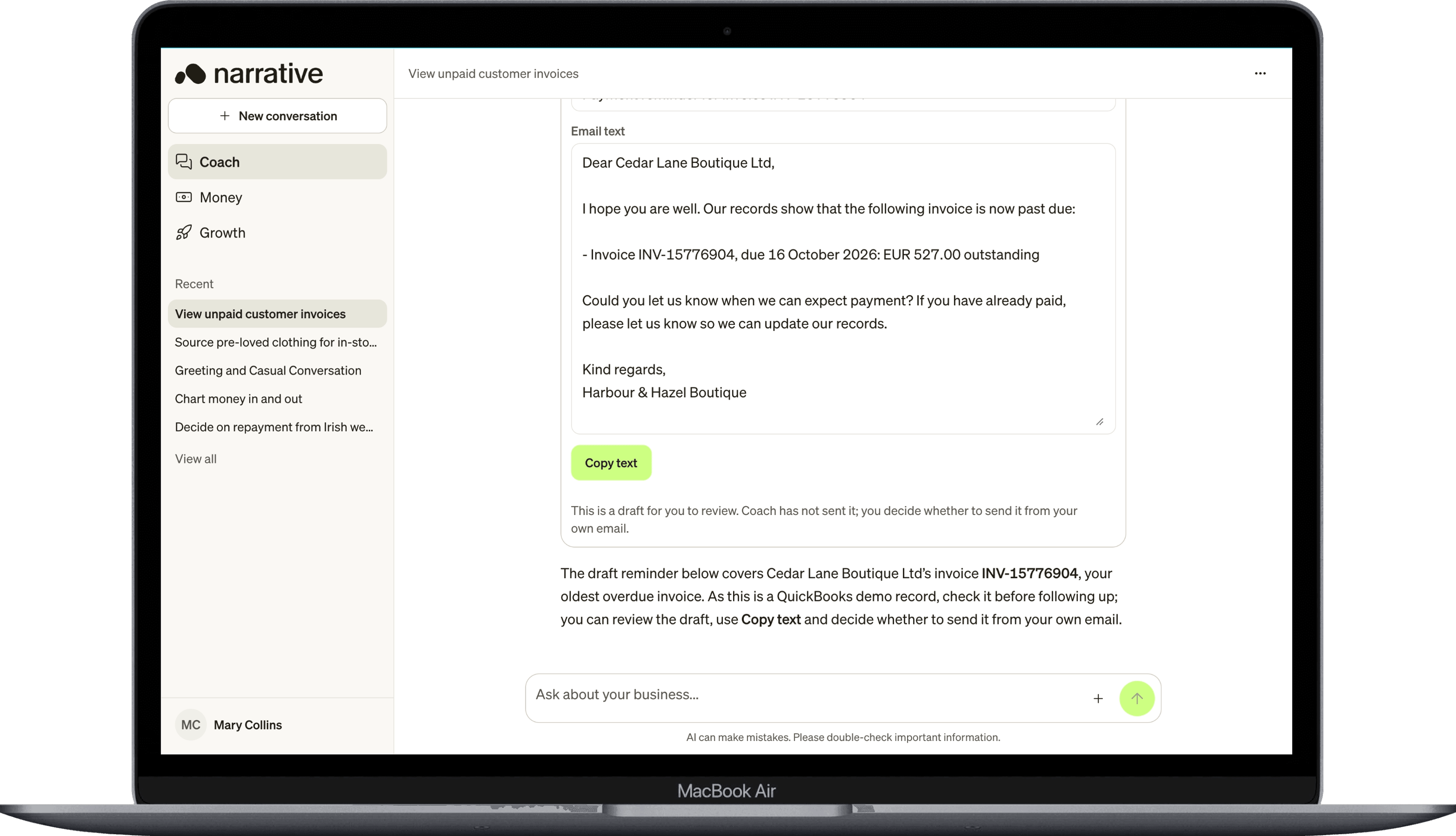
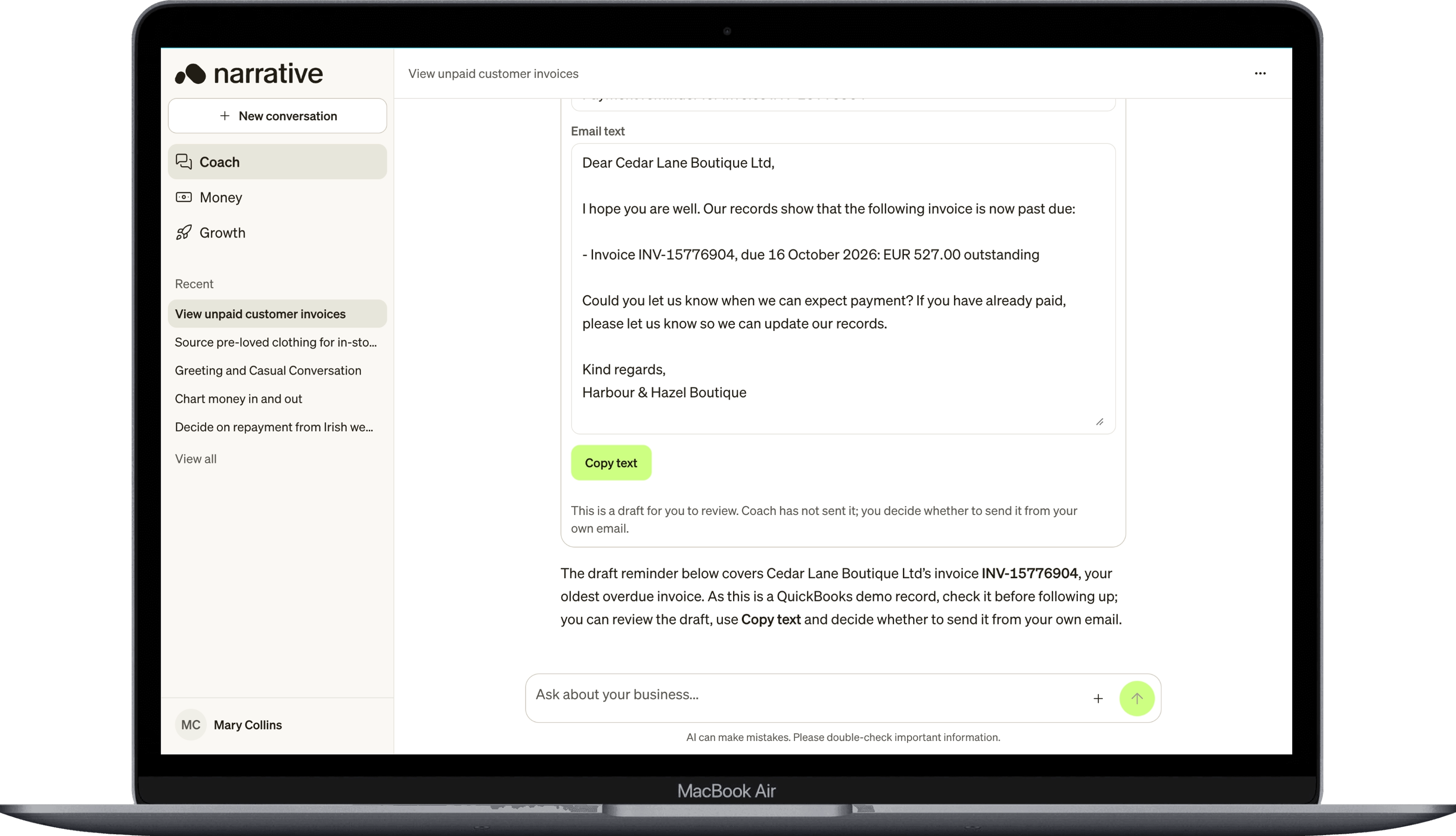
The refreshed workspace uses clear typography, restrained lime accents and neutral surfaces. Coach answers have a document-like layout, with clear separation between the answer, response controls and composer. The refreshed Narrative wordmark appears in the app navigation and Narrative-branded sign-in page. The expanded sidebar and mobile navigation show up to five conversation titles underRecent. Select a title to open that conversation, or View all to open conversation history. The compact navigation rail provides an All conversations control.
Coach
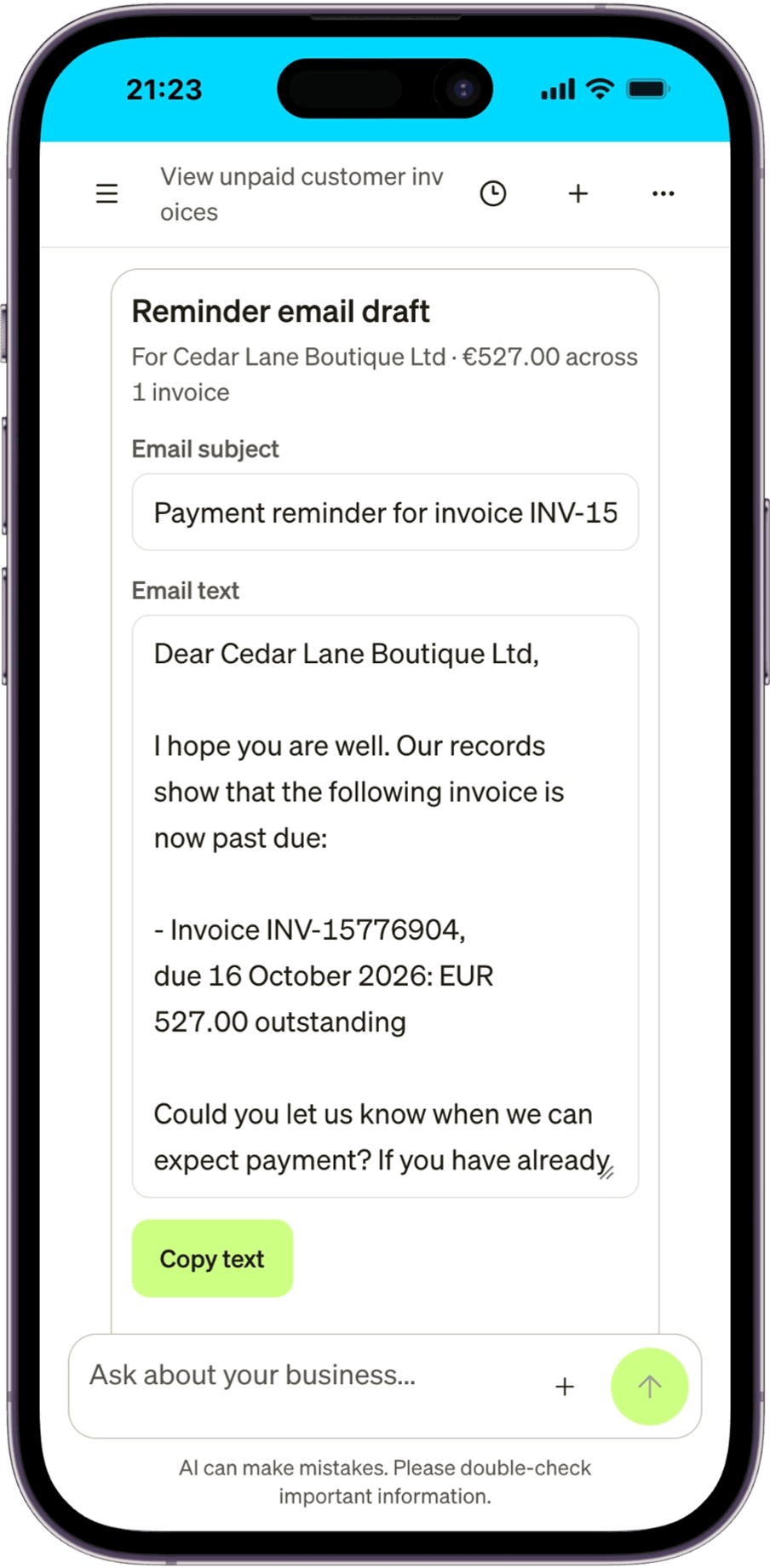
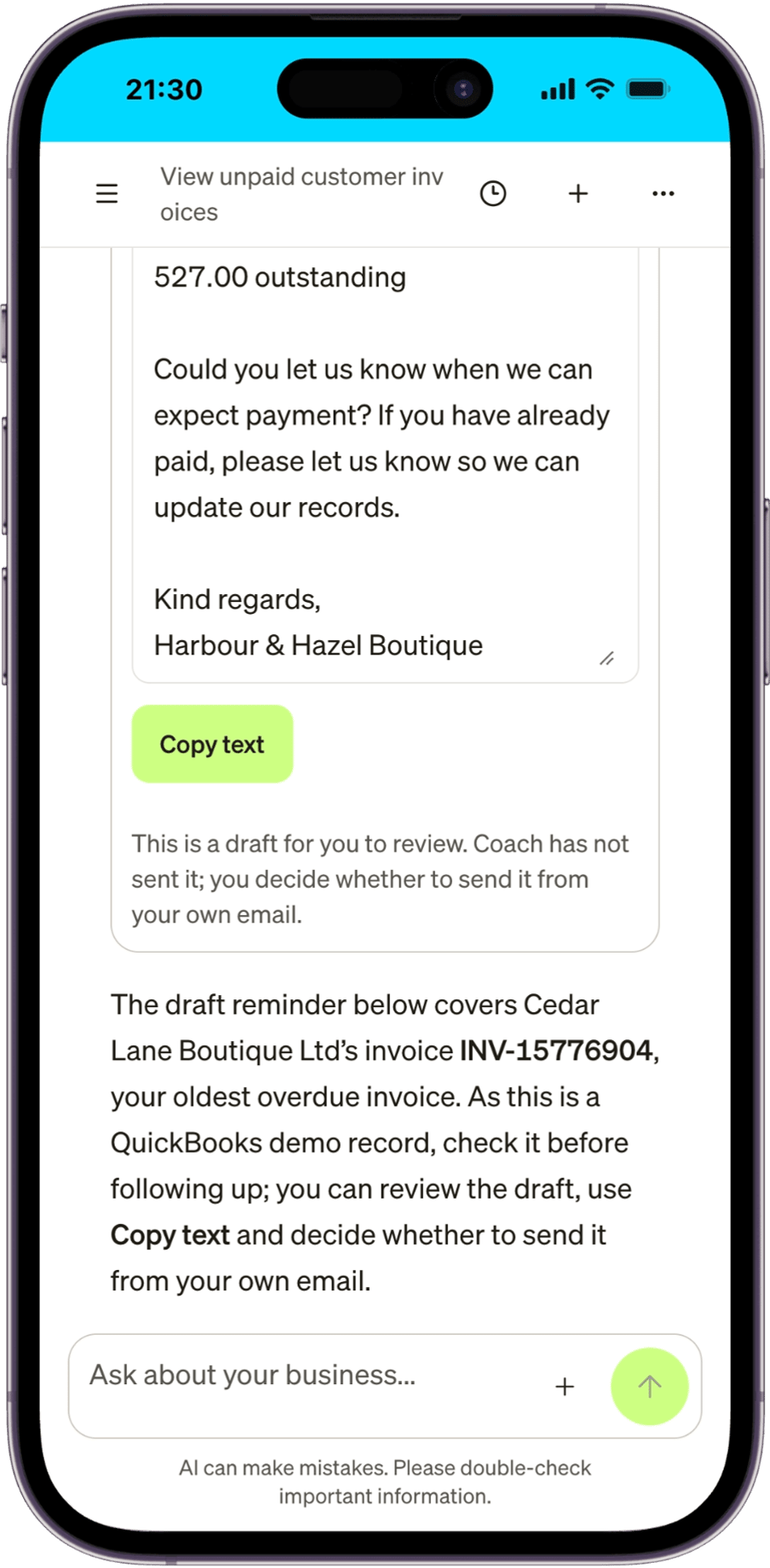
Invoice reminder drafts have editableEmail subject and Email text fields. Copy text copies the subject and body currently shown, so owners can review the wording before pasting it into their email application.
Settings
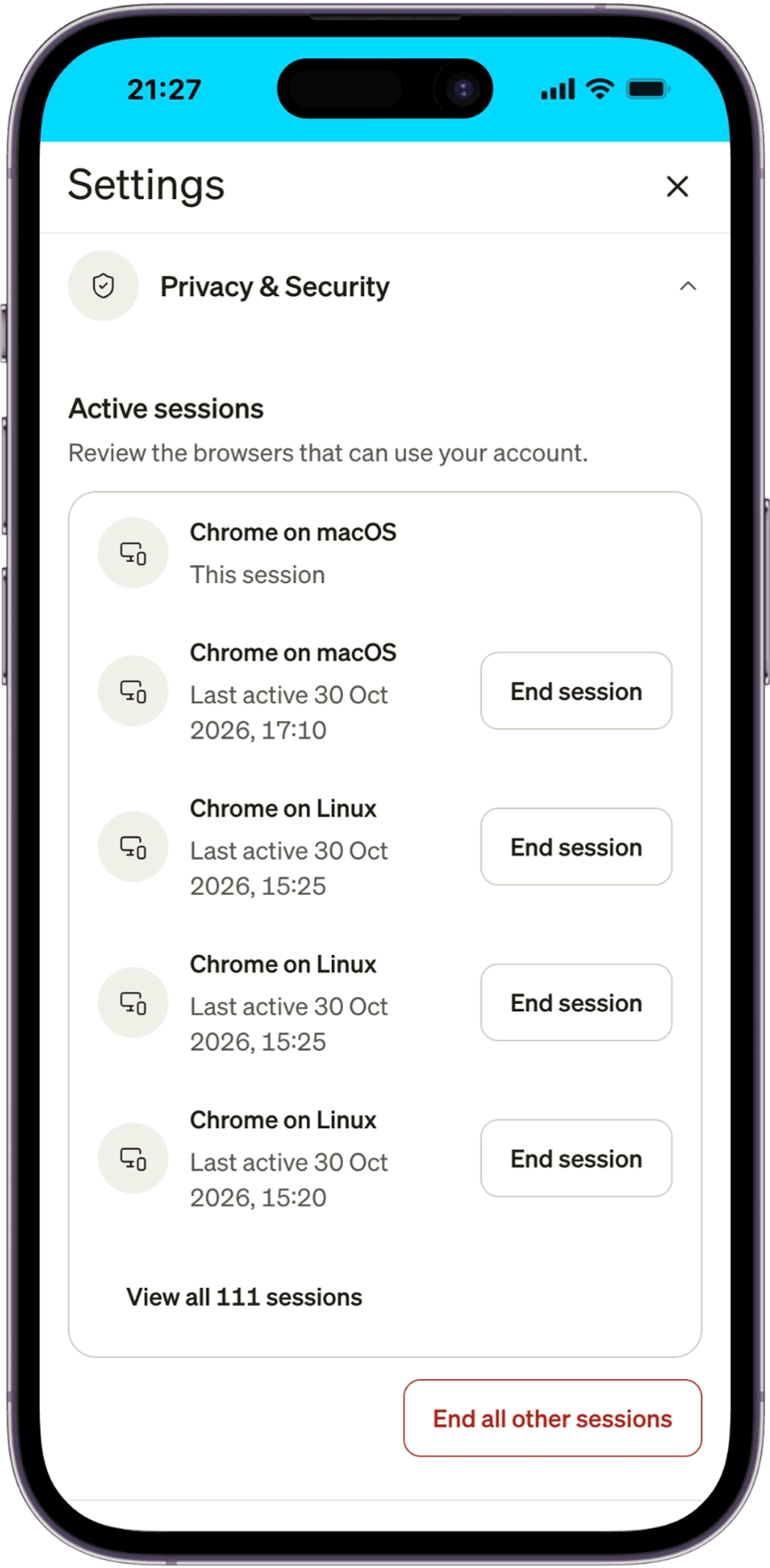
Privacy & Security includes Active sessions, with the current session identified separately from other browser and device sessions. Users can select End session for another session or End all other sessions to keep only the current one. Longer lists have a View all control.